Kellyn Wu
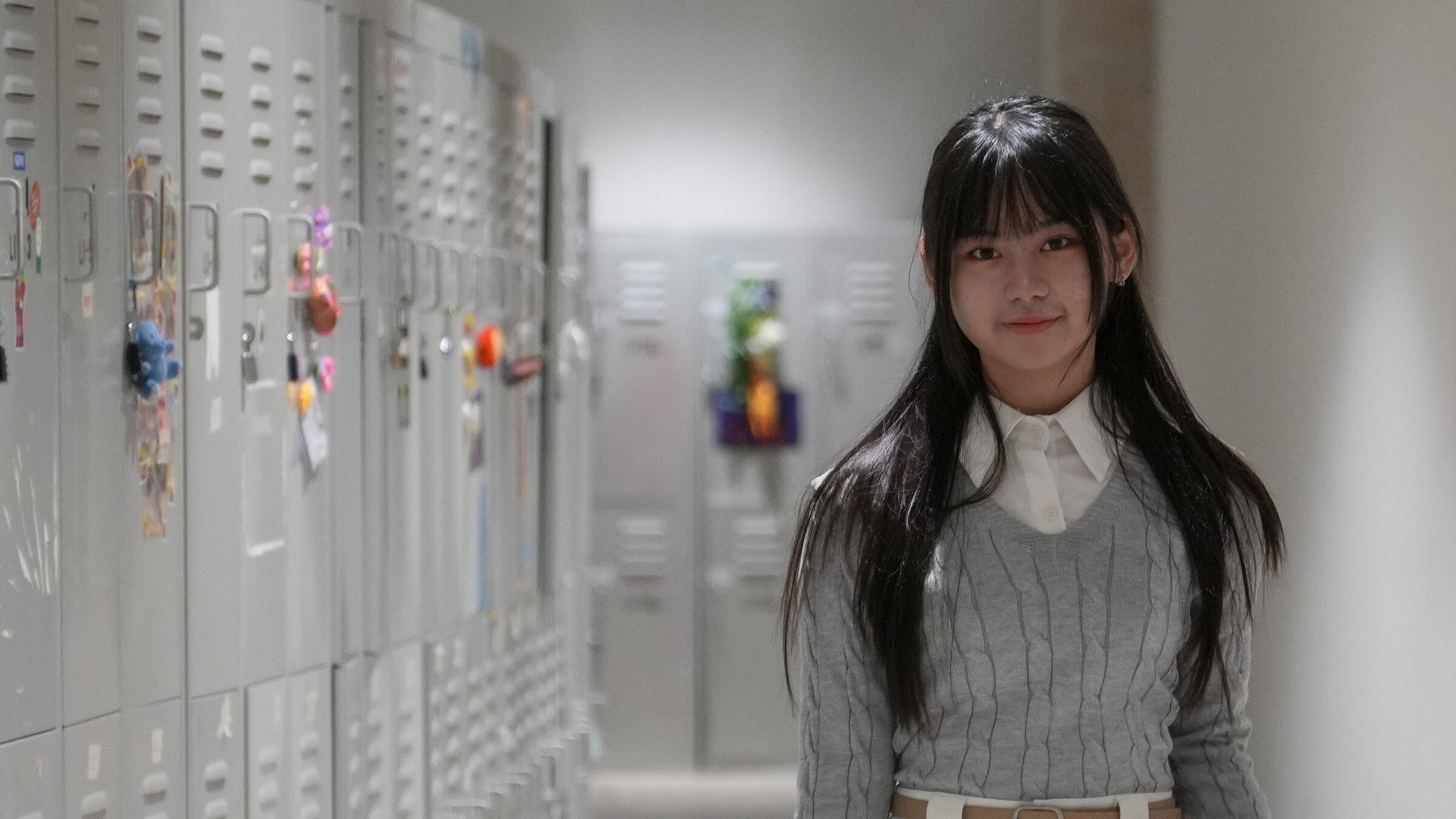
Kellyn Wu standing in a school corridor lined with lockers

Open to internships · Singapore

Welcome to my web page.

My name is Kellyn, currently pursuing my undergrad in NTU EEE. I am seeking challenging and meaningful internship opportunities.

NTU · Electrical & Electronic Engineering GitHub kellyn.wu123@gmail.com
/ 01

About me

I want to add value to the world. To be precise, I want to help make it more productive.

I believe one way for a person to feel satisfied in life is to leave a footprint: to build something that outlasts them. The human brain is more than a memorizing tool; it is built for creation and imagination.

So here I am, using whatever resources I have to build something impactful. Come see my projects!

/ 02

Projects

built and finished

Underwater Hull Inspection Drone

Built

ROS 2 · C++ · Python · PCL · OpenCV · Kalman filter · Gazebo · Docker

The drone surveying a hull it discovered itself.
My motivation
I had always been wondering: would it be possible for a robot to automate itself, without a human having to control it?
What it solves
Underwater, things are more challenging. Not only we have to apply computer vision in such a dark environment, we have to control the robot on water environment where there is buoyancy effect taken place. On top of that, my drone is never told the hull's size or shape. It has to discover the surface first, then plan its own survey over it.
What I learnt
Lots of cool tech stacks. PCL, OpenCV, tracking filters such as the Kalman filter, plus ROS 2, C++, Gazebo and Docker.
Takeaway
Such a good experience. It made me realise that humans have abilities we have taken for granted, such as the ability to synchronise our sensory and actuator capabilities. When I coded this project I always asked myself hard questions that are very basic for a human, such as: "um… how do I make the robot realise that at this coordinate, there is a bump?" (the answer is sonar and PCL). This project enriched me in lots of ways, but mainly in mindset.

I did not want to just say that it works, so here is what was actually measured, scored against the true answer the drone was never allowed to see.

30/36 defects found, across three randomly generated defect layouts
8.2 cm median error between where it said a defect was and where it really was
1.50 m hull radius it worked out on its own: it fitted 1.491–1.509 m, and was never told
100% of the hull covered, and the mission stopped by itself when it was done
140 tests, running in 22 seconds without the simulator
~13,400 lines of C++ and Python across 4 packages and 7 nodes
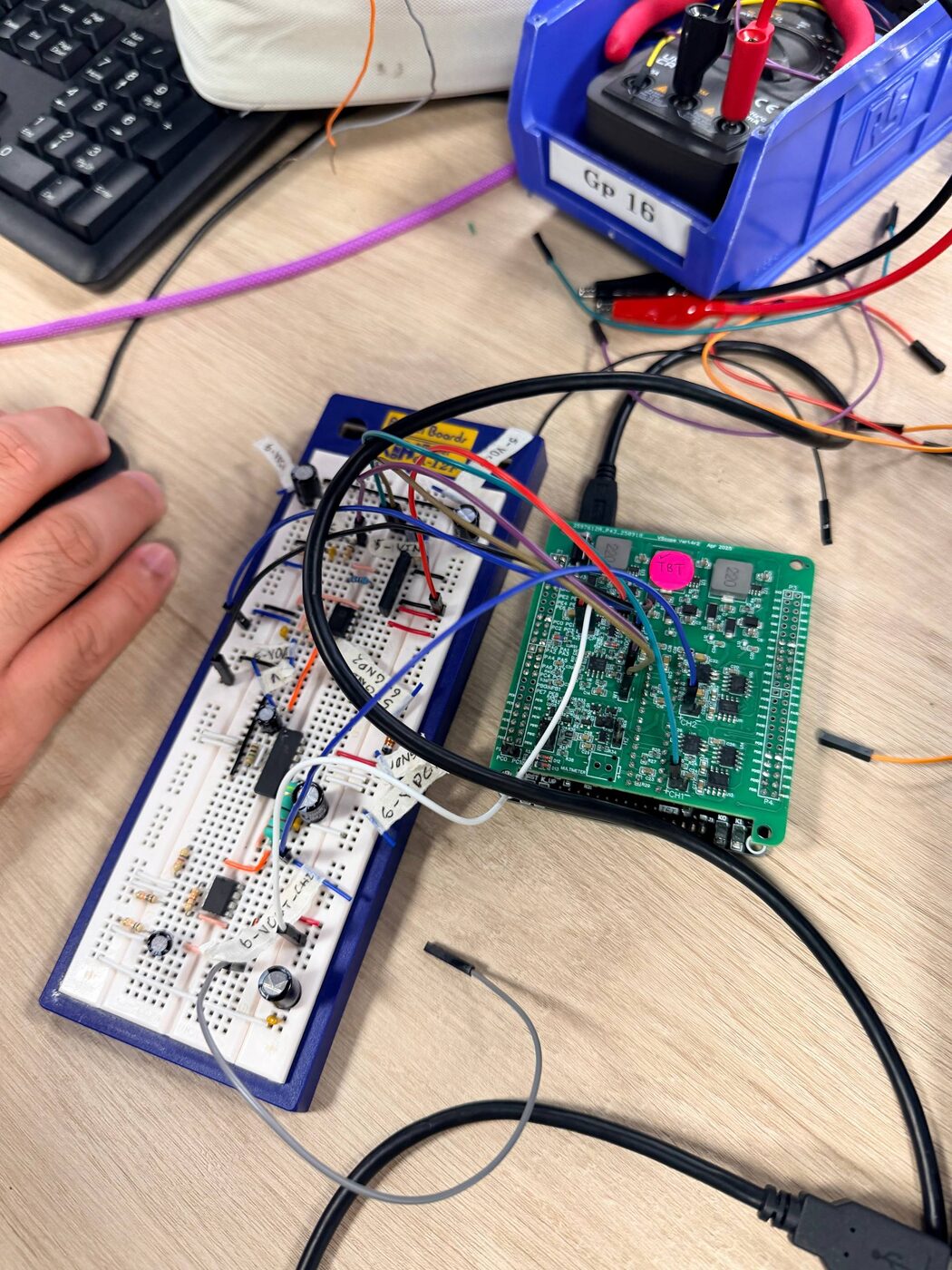
Automatic Volume Control Speaker

Built Team of 2

STM32 · MicroPython · Python · NumPy · THAT2180C VCA · LM380N · CA3140 VU meter

The audio amplifier built on breadboard, wired to the STM32 controller board, on the lab bench.
The three analog stages on breadboard, wired across to the controller board that closes the loop.
My motivation
This was a required module project, so I did not pick it. What kept me interested was that most of the control systems I had studied were graphs on a screen. This one played music, and gave me real world, practical exposure.
What it solves
Audio arrives at wildly different levels, and a human ends up riding the volume knob. This takes the human out of that loop: a VU meter measures the real output level, the computer compares it against a set point, and the amplifier's gain is nudged up or down until they agree.
What I learnt
Analog side: a THAT2180C voltage-controlled amplifier as the actuator, an LM380N power amplifier to drive the speaker, and a CA3140 rectifier and filter as the sensor, turning the swinging audio signal into a steady DC level.
Digital side: an STM32 running MicroPython, its ADC (analog to digital converter) reading that level and its DAC (digital to analog converter) setting the gain, with Python, NumPy and Plotly doing the work on the computer.
Takeaway
In this project we were taught to build the components one at a time, and that is honestly one of the most essential mindsets for thriving in any field. As a beginner I thought solving a problem in one strike was better than breaking it into pieces. Decomposition looked like a complicated process, and I figured people should just solve the thing in one go. I was wrong.
With a complex problem, trying to solve everything at once usually ends the same way. You get stuck debugging, which is where most of the time goes, until you either find the bug or give up and rebuild the whole thing. Doing it in pieces, every stage had already been measured on its own, so a fault in the finished system had somewhere obvious to start. I knew what each block was supposed to do, and anything that did not match could be pointed out easily. It made the process smoother and more efficient.

Second Brain

Running

TypeScript · Node.js · Telegram Bot API · Claude API · IMAP · systemd

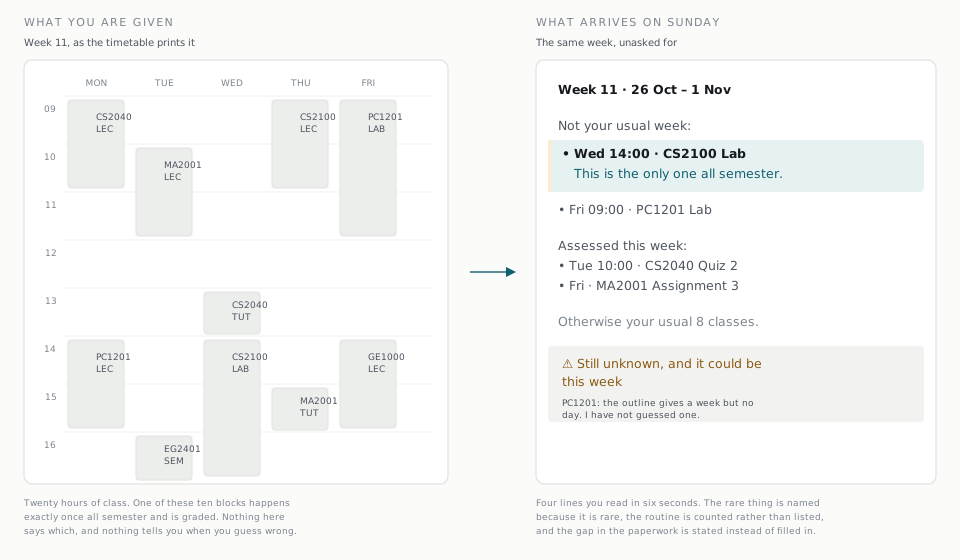
The same week twice. On the left a timetable grid of ten class blocks, all drawn identically. On the right the message the system sends, which names the one lab that happens only once all semester and states what it does not know.
The same week, twice. On the left is what the timetable gives you, where the one graded lab that happens once all semester is drawn exactly like the nine weekly classes around it. On the right is what arrives on Sunday. Sample semester, real renderer.
My motivation
I had always felt that adding and editing calendar appointments takes so much mental energy. Not only do we have to add a new reminder the moment we hear about it, or else we forget it if we procrastinate, we also have to edit it whenever anything changes. And we have to fill in everything manually: name, date, time, when to get notified. Some of that is so obvious, yet with today's tech we still type all of it in by hand.
And if we do not make a reminder, we risk forgetting. For a student, forgetting something means losing marks. Based on a true story.
What it solves
Second Brain takes note of appointments and reminders automatically through Telegram. Just forward and forget. It detects and sections the type of reminder by itself. It also holds the things that have no time on them at all, like the shopping list and what to pack, which a calendar simply refuses to keep.
What I learnt
Telegram Bot API, TypeScript, Node.js, IMAP for the email route, reading PDFs and phone photos with an LLM, and deploying under systemd so it keeps running when nobody is watching.
Takeaway
Being able to solve one of the main problems in my life has made me feel empowered and confident. I had a lot of challenges while building this. I have no iOS developer account, so I solved it by using a Telegram bot instead. That limitation ended up making the design better, because Telegram already has a share button and it is already open on my phone.
/ 03

Work in progress

no results to claim yet

Bird Classifier

In progress Group project

Spectrograms · CNN · BirdNET · PyTorch · Raspberry Pi · NTU forest

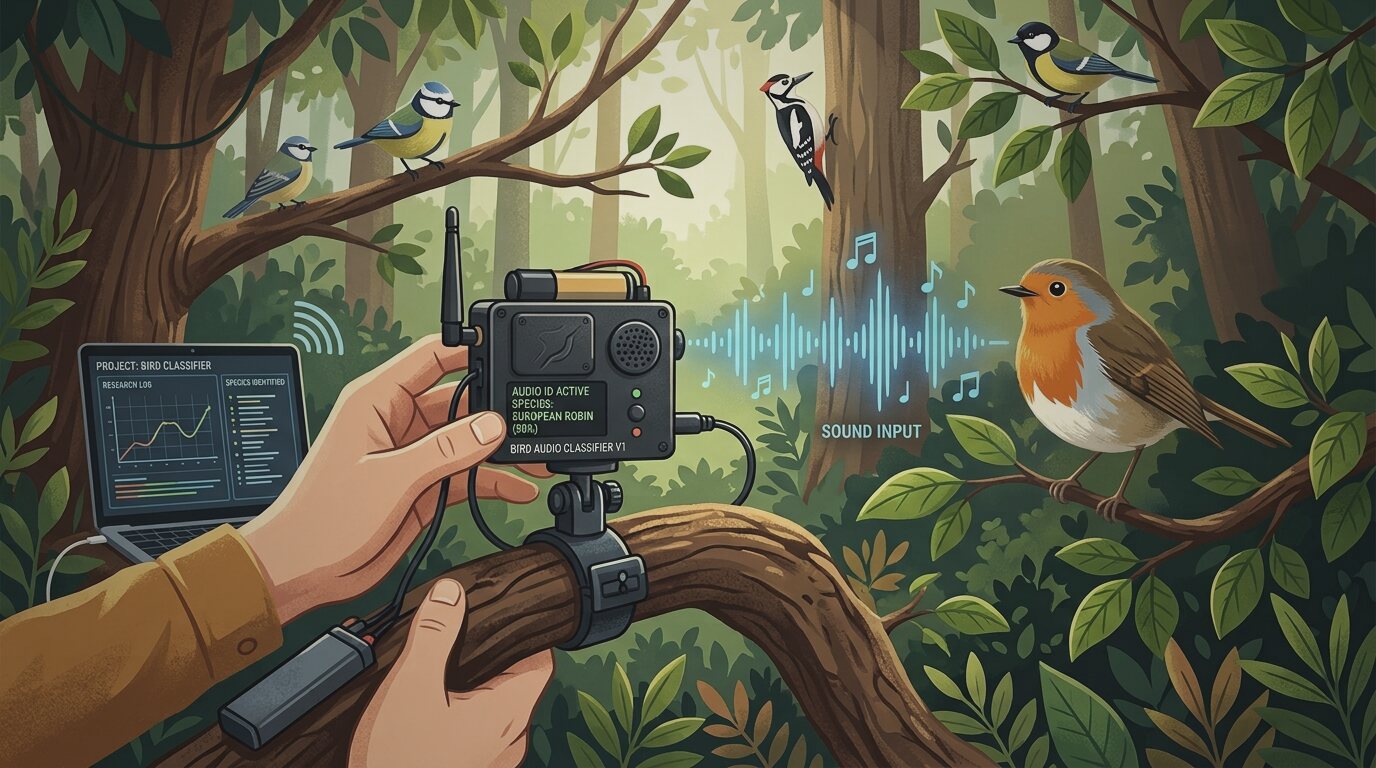
Illustration: a field recorder clipped to a branch identifying birdsong in a forest
Concept illustration by AI: the recorder in the field.
My motivation
I have always been wondering: how does a computer process audio into something meaningful? How do you build an audio classifier from scratch when you have never classified these sounds yourself, and there is no labelled dataset of this forest on the internet that you can just take and train on?
What it solves
It helps people who are beginners with birds tell apart the types of bird around NTU, and it gives researchers a way to know which species are around without anyone having to stand in the forest all day.
What I am learning
Audio to spectrogram, CNNs, building and fine-tuning the model, and running it on a Raspberry Pi out in the field.
Found so far
The pretrained model we started from quietly drops species that are rare at a location, and a migratory bird is rare at the location by definition. Its default setting was deleting exactly the birds this project exists to find.

Podcast Helper

Designing

LLM APIs · speech-to-text

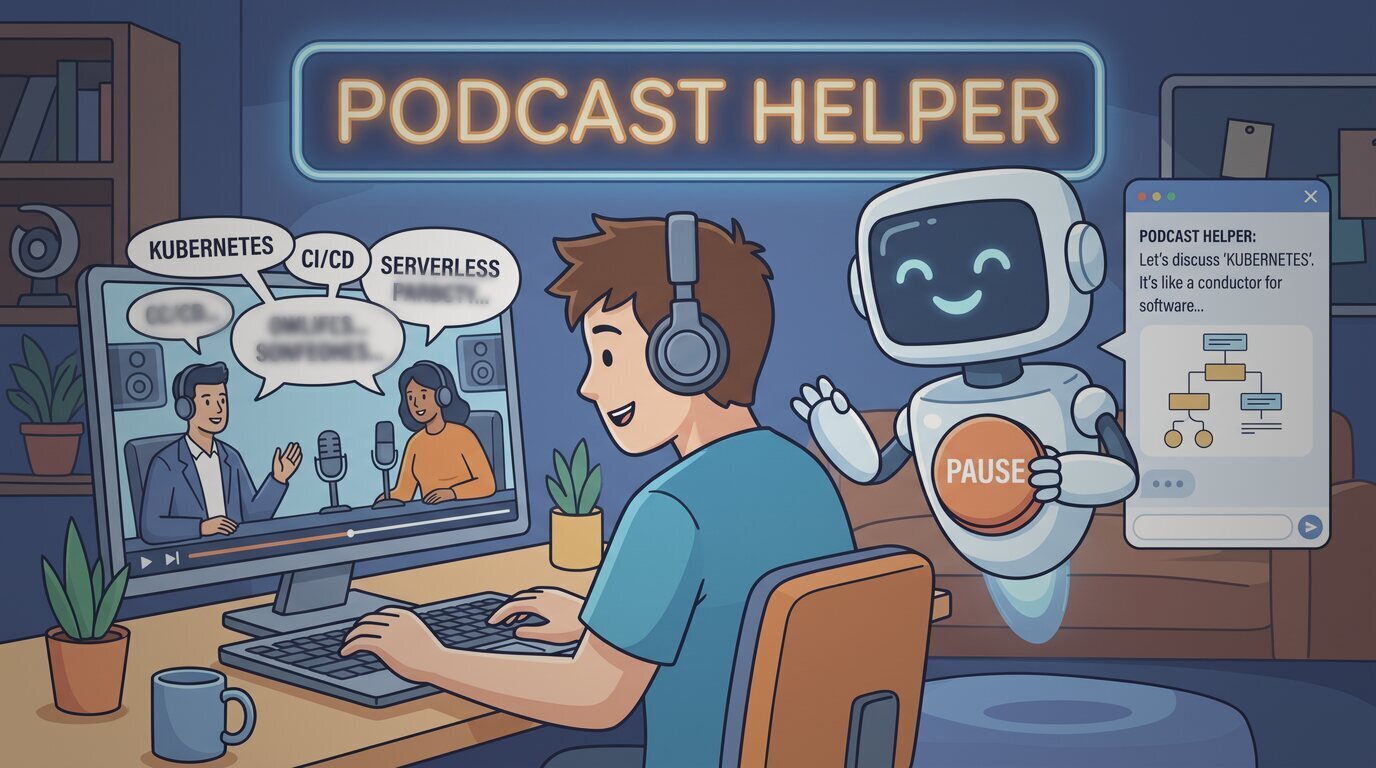
Illustration: a listener pausing a podcast while an assistant explains a term
Concept illustration by AI, asking a podcast what it just said.
My motivation
As a beginner in tech, it is really hard to understand the podcasts that are out there. There are so many terminologies and jargons I have never heard, and my background knowledge is still far too short compared to the idea they want to convey.
What it solves
I am building this podcast assistant to help me understand podcasts better. It is like a friend that watches the podcast together with me, so we can pause the video sometimes and talk about what is happening. Writing the problems down first taught me something useful: some of them are things I would never think to ask about, like a familiar word being used in a technical way. So the assistant also has to speak up on its own, not only answer when I ask.
What I will learn
AI and APIs, speech-to-text with timestamps, and how to ground an answer in what has actually been said in the episode rather than what the model happens to know.
/ 04

Say hello

If you are hiring, building something, or just want to talk, write to me here. It goes straight to my inbox and I reply from my own address.